

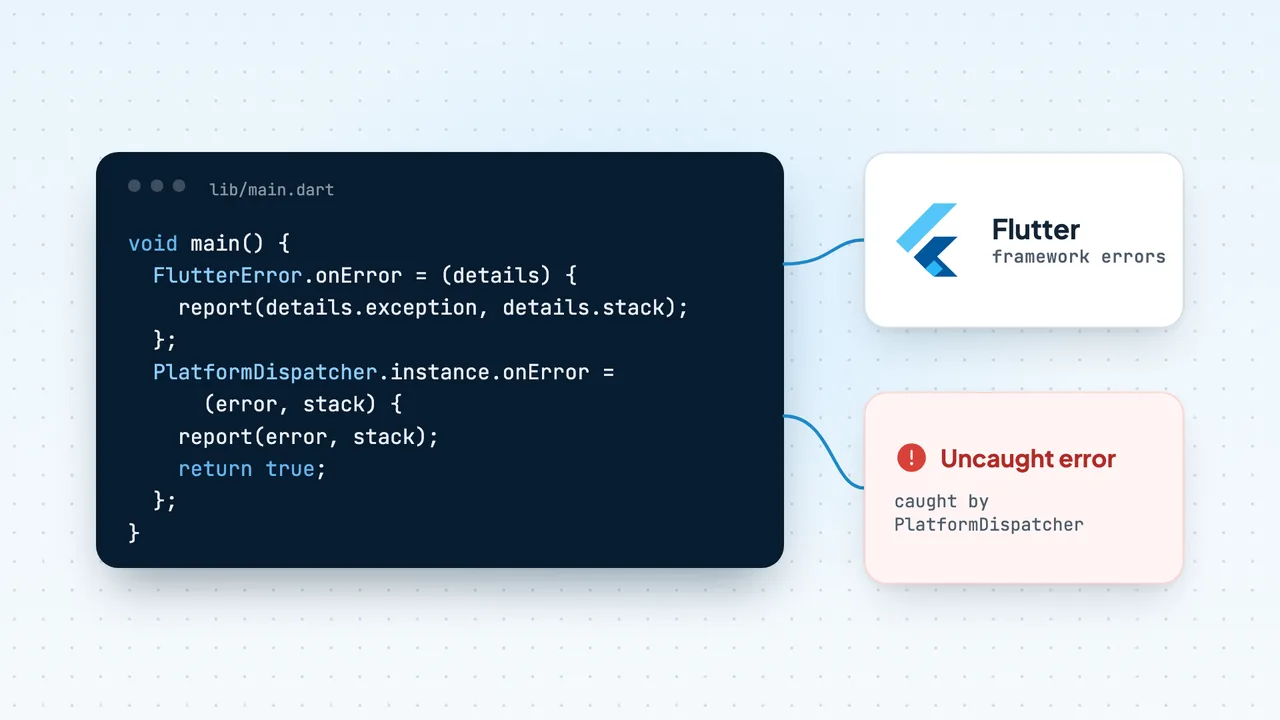
Flutter sends errors down separate channels, and you need a handler on each. FlutterError.onError receives errors the framework catches during build, layout, paint and other framework callbacks. PlatformDispatcher.instance.onError receives uncaught errors outside those callbacks, such as a failed await in a button handler or a platform channel call. Errors in other isolates reach neither, so you either use Isolate.run (which passes errors back to the caller) or attach an error listener. Set the first two in main() before runApp(), keep FlutterError.presentError so you still see errors in the console, and replace ErrorWidget.builder so release users don't see a bare grey box.
Below: what each channel catches, how zones and runZonedGuarded fit in today, release versus debug behaviour, obfuscation symbols, and a complete main(). If you want reporting without wiring it yourself, the Codeskop Flutter docs show the one-call setup. Related reading: Android ANRs (Flutter apps on Android get ANRs too), OkHttp interceptors for network monitoring, and how Codeskop compares with Firebase Crashlytics.
The three error channels in Flutter
| Channel | What it catches | Handler |
|---|---|---|
| Framework | Exceptions thrown inside Flutter's own callbacks: build, layout, paint, gesture callbacks the framework invokes | FlutterError.onError (receives a FlutterErrorDetails) |
| Platform dispatcher | Uncaught errors outside Flutter's callbacks, e.g. async code, timers, MethodChannel.invokeMethod failures | PlatformDispatcher.instance.onError (returns bool) |
| Other isolates | Uncaught errors in isolates you spawn | Isolate.run rethrows in the caller; Isolate.spawn(onError:) or addErrorListener for long-lived isolates |
Native crashes (a crash in Kotlin, Java, Swift or C code under your app) are a fourth category. Dart handlers never see them; you need a native crash reporter for those.
Framework errors: FlutterError.onError
By default, FlutterError.onError calls FlutterError.presentError, which dumps the error to the device log. Override it to report, and keep presentError so local debugging still works:
FlutterError.onError = (FlutterErrorDetails details) { FlutterError.presentError(details); // keep console output myReporter.report(details.exception, details.stack, fatal: false);};A framework error usually doesn't kill the app. The broken widget is replaced by an ErrorWidget and the rest of the UI keeps running, which is why many tools record these as handled (non-fatal) errors.
Async and platform errors: PlatformDispatcher.onError
An exception thrown after an await in an onPressed handler isn't inside a framework callback any more, so FlutterError.onError never sees it. Flutter forwards these to the PlatformDispatcher:
PlatformDispatcher.instance.onError = (Object error, StackTrace stack) { myReporter.report(error, stack, fatal: true); return true; // handled: don't let it propagate further};Returning true tells the engine you handled the error. Returning false lets it fall through to the default behaviour (logging).
Errors in isolates
Each isolate has its own error handling, so handlers you set in the main isolate don't see errors in a background isolate. For one-off work, prefer Isolate.run: if the computation throws, the returned future completes with that error and your normal try/catch (or the platform dispatcher) handles it:
Future<List<Order>> parseOrders(String json) async { try { return await Isolate.run(() => decodeOrders(json)); } catch (e, stack) { myReporter.report(e, stack, fatal: false); rethrow; }}For a long-lived isolate started with Isolate.spawn, pass an onError port. Errors arrive as a two-element list: the error and the stack trace, both as strings:
final errors = ReceivePort();errors.listen((dynamic message) { final pair = message as List<dynamic>; myReporter.report( pair[0] as String, StackTrace.fromString(pair[1] as String), fatal: false, );}); await Isolate.spawn(syncWorker, initialMessage, onError: errors.sendPort);See Dart errors and native crashes in one place
Add codeskop_tracker from pub.dev and wrap your app in Codeskop.runGuarded.
Zones and runZonedGuarded: where they fit now
Before PlatformDispatcher.onError existed (it arrived in Flutter 3.3), the standard advice was to wrap runApp in runZonedGuarded so the zone's error callback caught uncaught async errors. Many crash SDKs still use a guarded zone as a safety net.
Zones come with a trap. Since Flutter 3.10, debug builds print a "Zone mismatch" warning if the bindings were initialised in one zone and runApp is called in another. The usual cause is calling WidgetsFlutterBinding.ensureInitialized() before entering runZonedGuarded. The fix is to call ensureInitialized() inside the same zone as runApp. Flutter's own guidance is to avoid zones where you can, since they are hard to debug.
In practice:
- Writing your own setup: use
FlutterError.onErrorplusPlatformDispatcher.instance.onError, with no zone. - Using a crash SDK that wraps
main()in a zone: let it own the zone, and make sureensureInitialized()andrunApp()both run inside it.
ErrorWidget.builder: release vs debug behaviour
When a widget throws during build, Flutter shows ErrorWidget in its place. By default, debug builds show the error message in red and release builds show a plain grey background. Neither is great for users, so replace it with something friendlier. Flutter's docs set it inside MaterialApp.builder:
MaterialApp( builder: (context, widget) { Widget error = const Text('Something went wrong on this screen.'); if (widget is Scaffold || widget is Navigator) { error = Scaffold(body: Center(child: error)); } ErrorWidget.builder = (errorDetails) => error; if (widget != null) return widget; throw StateError('widget is null'); },);Replacing the widget doesn't report anything. The error still goes to FlutterError.onError, so reporting stays there.
On a budget Android phone, a build error inside a list item can leave a screen half-rendered rather than crashing outright. Users on patchy connections often assume it's the network and retry. Reporting framework errors as handled errors is how you find these screens.
Obfuscation and symbols
For release builds, you can obfuscate Dart code and split debug info out of the binary:
flutter build appbundle --obfuscate --split-debug-info=build/symbols/androidThe Flutter docs cover the details:
- Obfuscation only applies to release builds. It's supported for Android (
aar,apk,appbundle), iOS (ios,ios-framework,ipa), macOS, Linux and Windows, but not web, which uses minification instead. - Back up the symbols directory for every release. Without it you can't read obfuscated stack traces.
- To translate a trace, use the symbols file that matches the device architecture:
flutter symbolize -i crash_trace.txt -d build/symbols/android/app.android-arm64.symbols- Code that depends on
runtimeType.toString()matching a class name breaks once obfuscated. Enum names are not obfuscated.
A good habit is to make symbols part of your release pipeline: name the folder after the version (symbols/1.8.2+57/) and archive it with the build artefacts.
A complete main() setup (no SDK)
This is a self-contained setup using only Flutter APIs. Swap ErrorReporter for whatever you send errors to.
import 'dart:ui'; import 'package:flutter/material.dart'; final reporter = ErrorReporter(); Future<void> main() async { WidgetsFlutterBinding.ensureInitialized(); await reporter.initialize(); // 1. Framework errors (build, layout, paint): usually non-fatal FlutterError.onError = (details) { FlutterError.presentError(details); reporter.report(details.exception, details.stack, fatal: false); }; // 2. Uncaught async and platform errors PlatformDispatcher.instance.onError = (error, stack) { reporter.report(error, stack, fatal: true); return true; }; runApp(const MyApp());}Then add a friendlier ErrorWidget.builder as shown above, use Isolate.run or onError: for background isolates, and in debug builds keep presentError so nothing is hidden.
Tip
Flutter is moving Material into the standalone material_ui package (announced September 2026), and the official docs now import package:material_ui/material_ui.dart. package:flutter/material.dart still works as of October 2026, which is what the snippets here use.
Using Codeskop.runGuarded
The codeskop_tracker plugin wires all of this up in one call. It requires Flutter 3.19+ and Dart 3.3+, and Android minSdk 24.
dependencies: codeskop_tracker: ^0.3.0import 'package:codeskop_tracker/codeskop_tracker.dart';import 'package:flutter/material.dart'; void main() { Codeskop.runGuarded(() async { await Codeskop.init(apiKey: 'cs_live_pk_YOUR_KEY', endpoint: 'https://api.codeskop.com'); runApp(const MyApp()); });}According to the docs, runGuarded calls WidgetsFlutterBinding.ensureInitialized() and sets up FlutterError.onError, PlatformDispatcher.onError and a guarded zone for uncaught async errors. Because the binding is initialised inside the same zone as runApp, you avoid the zone mismatch above. Flutter's red error screen and console output still work.
What's reported:
- Uncaught Dart errors as crashes, with the Dart stack trace.
- Framework errors as handled exceptions.
- Native crashes and ANRs in the Android layer, from the native Codeskop SDK the plugin brings in. ANR detection is on the Starter plan and above (see pricing); crashes and handled errors are on every plan, including Free (10,000 events/month as of October 2026).
Events are written to the device first and uploaded when there's a connection, so errors from users who drop off the network (common on rural 3G or when a capped data bundle runs out) aren't lost.
To report errors you catch yourself:
try { await checkout();} catch (e, stack) { Codeskop.recordError(e, stack); // reported as a handled exception showErrorBanner();}If you already manage your own zone, call registerErrorHooks() instead of runGuarded and forward zone errors:
void main() { runZonedGuarded(() async { WidgetsFlutterBinding.ensureInitialized(); Codeskop.registerErrorHooks(); await Codeskop.init(apiKey: 'cs_live_pk_YOUR_KEY', endpoint: 'https://api.codeskop.com'); runApp(const MyApp()); }, (error, stack) => Codeskop.recordError(error, stack, fatal: true));}The plugin doesn't include an HTTP interceptor. To see failed API calls (Starter and above), call Codeskop.captureApiError from your own Dio or http interceptor; the Flutter docs have a ready-made Dio example. Isolates you spawn still need the Isolate.run / onError handling above, reporting with Codeskop.recordError.
Frequently asked questions
What is the difference between FlutterError.onError and PlatformDispatcher.onError?
FlutterError.onError handles errors that happen inside Flutter's own callbacks (build, layout, paint). PlatformDispatcher.instance.onError handles uncaught errors outside them, such as exceptions after an await or from platform channels. You need both.
Do I still need runZonedGuarded?
Not for your own handlers: PlatformDispatcher.onError covers uncaught async errors. If an SDK uses a zone, make sure WidgetsFlutterBinding.ensureInitialized() runs inside that zone to avoid the "Zone mismatch" warning.
Why does my release app show a grey box?
That's the default ErrorWidget in release mode, shown when a widget throws during build. Set ErrorWidget.builder to show something friendlier, and report the error from FlutterError.onError.
Are errors in isolates caught by FlutterError.onError?
No. Use Isolate.run, which passes errors back to the caller, or pass an onError port to Isolate.spawn.
How do I read an obfuscated Flutter stack trace?
Build with --obfuscate --split-debug-info=<dir>, keep that directory for each release, and run flutter symbolize -i <trace> -d <symbols file> with the symbols file for the device's architecture.